











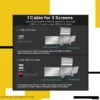




Description
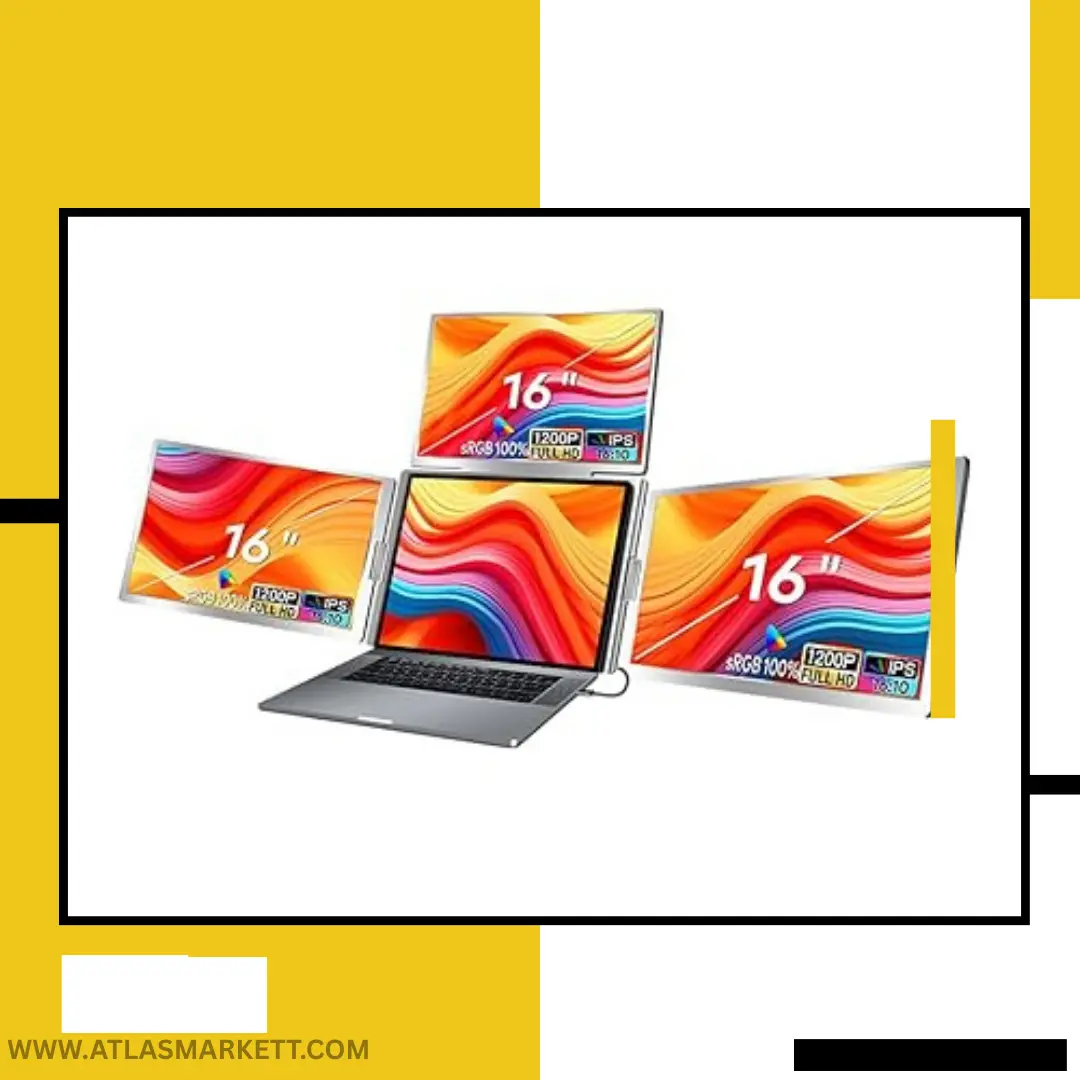
Triple Laptop Screen Extender 16″ FHD 1080P Portable Monitor
Key Features
- 16-inch Full HD 1080P portable laptop screen extender
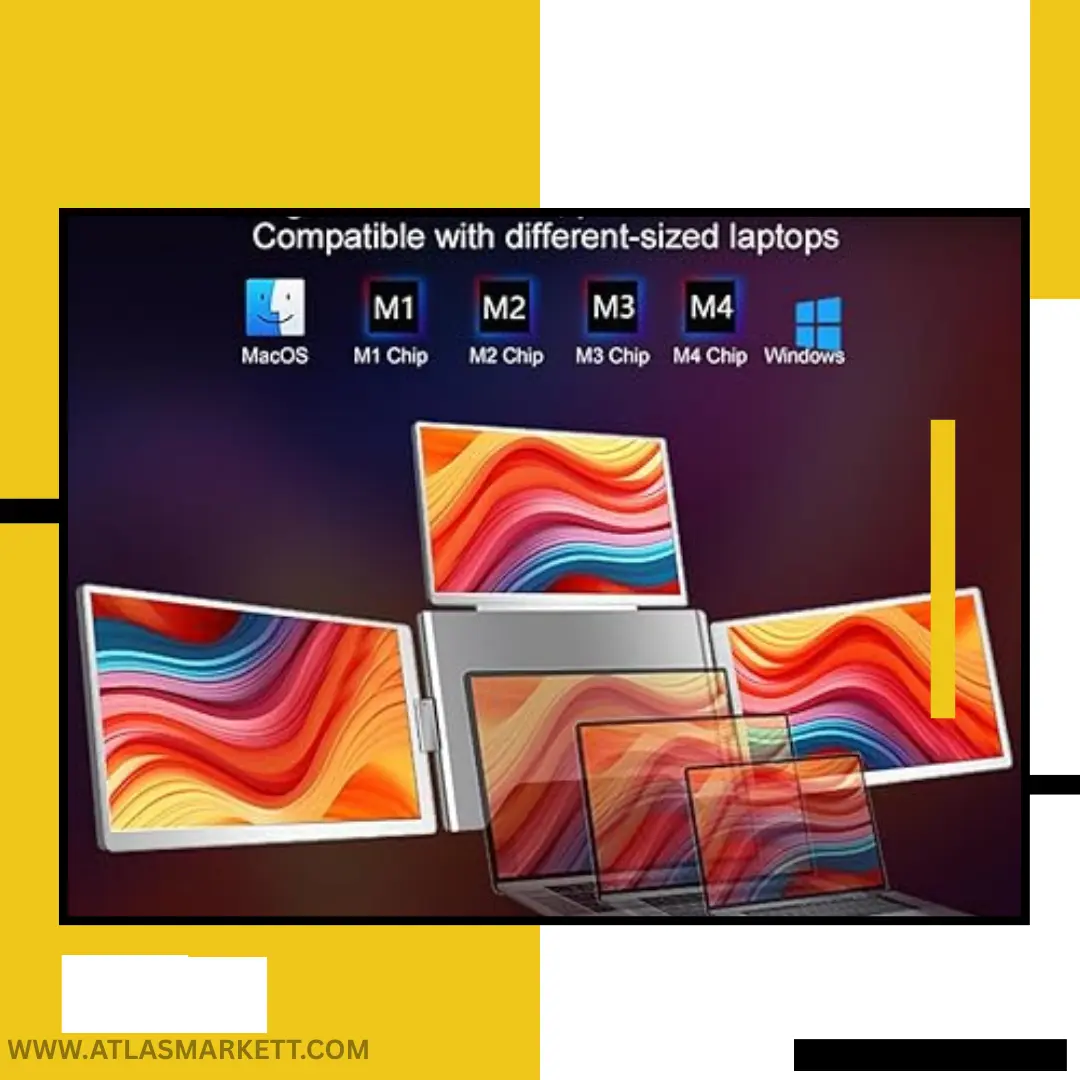
- Compatible with 12″–18.5″ laptops
- Triple-screen design for improved multitasking
- 1920×1200 resolution with HDR support
- 360° IPS viewing angles
- Adjustable stand for enhanced stability
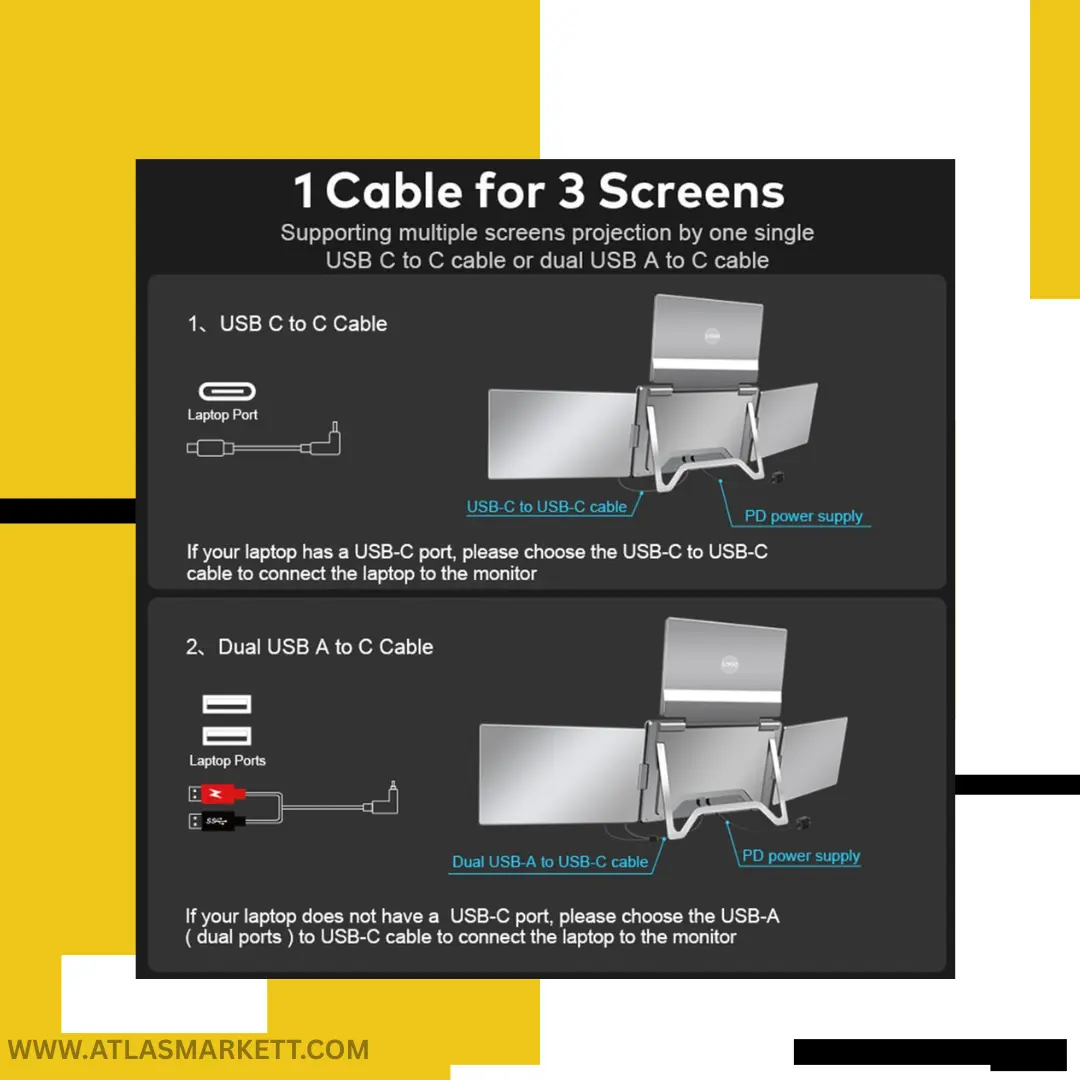
- USB-C and HDMI connectivity
- Foldable, travel-friendly construction
- Suitable for work, coding, editing, research, and business travel
More Screen Space Without Building a Permanent Desk Setup
A larger laptop can certainly make work more comfortable, but there comes a point where screen size alone is no longer enough. When you’re managing spreadsheets, browser tabs, video calls, project files, research materials, or creative software simultaneously, the challenge isn’t the size of the screen—it’s the lack of space to keep everything visible and organized.
This Triple Laptop Screen Extender addresses that challenge by transforming a standard laptop into a much larger working environment. Instead of relying on a single display and constantly switching between applications, users can spread tasks across multiple screens and keep important information accessible throughout the day. For professionals who spend hours working between different platforms and tools, that added space can create a noticeably smoother workflow.
The large 16-inch displays are one of the strongest aspects of this setup. Many portable monitors focus on compactness first and usability second, but this model provides enough screen real estate to comfortably handle detailed work. Whether you’re reviewing reports, editing content, analyzing charts, writing code, or preparing presentations, the expanded viewing area helps reduce the feeling of working inside a crowded desktop.
Visual quality also plays an important role in the overall experience. The Full HD resolution keeps text and graphics sharp, while HDR support helps deliver improved contrast and depth. Combined with IPS technology and wide viewing angles, the screens remain comfortable to use from different positions throughout the workday.
Rather than functioning as a simple accessory, this monitor extender feels more like a portable workstation upgrade designed for users whose work has outgrown the limitations of a single laptop display.
What Makes This Setup Different?
Many portable monitors solve only part of the problem by providing a single extra display. While that can be useful, users often find themselves wanting even more room once their workload continues to grow. This setup takes a different approach by creating a complete multi-screen environment around the laptop itself.
The result is a workspace that feels much closer to a traditional desktop setup without requiring multiple monitors, extra stands, or a dedicated office desk. The foldable design allows the entire system to travel with you, making it practical for professionals who regularly work from different locations.
Another advantage is flexibility. The adjustable viewing positions allow users to arrange the displays around their workflow rather than adapting their workflow to the monitor. Whether you prefer communication tools on one side, active projects in the center, and references on the other, the layout can be adjusted to match how you work.
Where Extra Screens Can Make the Biggest Difference
Not every laptop user needs three screens, but for certain workflows the benefits become obvious very quickly.
A remote employee might keep a video conference open on one screen, project files on another, and team communication software on the third. Instead of repeatedly searching through minimized windows, everything remains visible and accessible.
Developers can dedicate separate screens to coding, testing, and documentation. Designers can work on creative projects while keeping references and assets available at all times. Financial analysts and traders can monitor charts, news sources, and data simultaneously without sacrificing visibility.
Students and researchers can also benefit from the additional space. Keeping notes, source material, presentations, and assignments open together often creates a more organized study environment than constantly switching between tabs.
The more frequently your daily work requires moving between applications, the more valuable a setup like this tends to become.
The Users Most Likely to Benefit
This monitor extender is best suited for professionals whose work depends on managing information from multiple sources at once. Remote workers, freelancers, consultants, programmers, content creators, analysts, designers, and business professionals are likely to see the greatest value from the expanded workspace.
It can also be a worthwhile investment for frequent travelers who want something closer to a desktop experience without carrying traditional monitors. For users who work from hotels, coworking spaces, client offices, or temporary workstations, having access to multiple displays can significantly improve comfort and organization.
Students working on technical, engineering, research, design, or project-based courses may also appreciate the ability to keep study materials visible without constantly switching between windows.
When a Simpler Monitor Might Be Enough
As impressive as a triple-screen setup can be, it isn’t necessary for everyone.
If your daily computer use mainly involves web browsing, media consumption, email, or light office tasks, a single portable monitor may provide enough additional space without the complexity of a larger setup.
Similarly, users who prioritize the lightest possible travel gear may prefer a smaller monitor solution. This product focuses on maximizing workspace first and portability second, making it more appealing to productivity-focused users than casual laptop owners.
How It Compares to Standard Portable Monitors
Traditional portable monitors are excellent for adding one extra display, but they rarely create the same desktop-like experience offered by a multi-screen workstation. With a standard portable monitor, users often continue switching between applications because there still isn’t enough room to keep everything visible.
This triple-screen design aims to solve that limitation by creating a larger working environment that can support multiple tasks simultaneously. For users handling complex projects or information-heavy workflows, the difference can be substantial.
The trade-off is that this setup requires more space and represents a larger investment than a basic portable monitor. Buyers should therefore consider how often they genuinely work across multiple applications before deciding which option makes the most sense.
A Few Things Worth Checking Before You Order
Before purchasing, verify that your laptop falls within the supported 12-inch to 18.5-inch size range. It’s also worth checking available USB-C and HDMI ports to ensure compatibility with your device.
Think carefully about how you work on a typical day. If you regularly manage documents, meetings, analytics, editing software, development tools, or research materials at the same time, the additional screens can provide meaningful value. However, if your workload rarely extends beyond a few windows, a smaller solution may be sufficient.
Ultimately, this product delivers the most value to users who can actively use the extra screen space rather than simply having it available.
Pros & Cons
Pros
- Creates a true triple-screen workstation
- Large 16-inch displays provide generous workspace
- Sharp Full HD resolution with HDR support
- Adjustable viewing positions for different workflows
- Foldable design supports portability
- USB-C and HDMI connectivity
- Suitable for professional and creative workloads
- Helps reduce excessive window switching
Cons
- Requires more desk space than standard portable monitors
- MacOS setup may require driver installation
- Less suitable for casual laptop users
- Larger footprint compared to compact monitor solutions
Frequently Asked Questions
Is this monitor extender compatible with MacBook devices?
Yes. It supports MacOS systems, though some devices may require driver installation during setup.
What laptop sizes does it support?
It is designed for laptops between 12 inches and 18.5 inches.
Can it be used for video editing and graphic design?
Yes. The larger workspace can be particularly useful for editing timelines, managing assets, and keeping reference materials visible.
Is it suitable for business travel?
The foldable design makes it far easier to transport than a traditional multi-monitor setup, making it a practical option for professionals who work from multiple locations.
Does it support plug-and-play connectivity?
Most Windows systems handle setup automatically, while some MacOS devices may require additional installation steps.
Can the screen positions be adjusted?
Yes. The design allows flexible positioning to better match different working styles and environments.
Final Verdict
The Triple Laptop Screen Extender 16″ FHD 1080P Portable Monitor isn’t aimed at casual users looking for a simple accessory. It’s designed for people who have reached the limits of a single laptop screen and want a more capable workspace without being tied to a permanent desk setup.
Its combination of large displays, flexible positioning, portable construction, and broad compatibility makes it particularly appealing for professionals, creators, analysts, developers, and remote workers who spend much of their day working across multiple applications. While it may not be necessary for everyone, users who genuinely need additional screen space are likely to appreciate the convenience and flexibility it brings to everyday work.
Affiliate Disclosure
As an Amazon Associate, AtlasMarkett may earn a commission from qualifying purchases made through affiliate links. This comes at no additional cost to you and helps support our content and product research.
CTA Button
Check Latest Price on Amazon
- Women’s Laptop Tote Bag 15.6 Inch, PU Leather Waterproof Work Purse
- Amazon Kindle Paperwhite 16GB (latest version) – Our fastest Kindle
- Adjustable Baby Bath Tub with Stand, Hug Bath Tower for 6-36 Months
- Ear Wax Removal Camera, Newly Upgraded 1080P Earpick, with IP67
- Hidden Spy Camera, 1080P HD Mini WiFi Wireless Camera for Home




Reviews
There are no reviews yet.